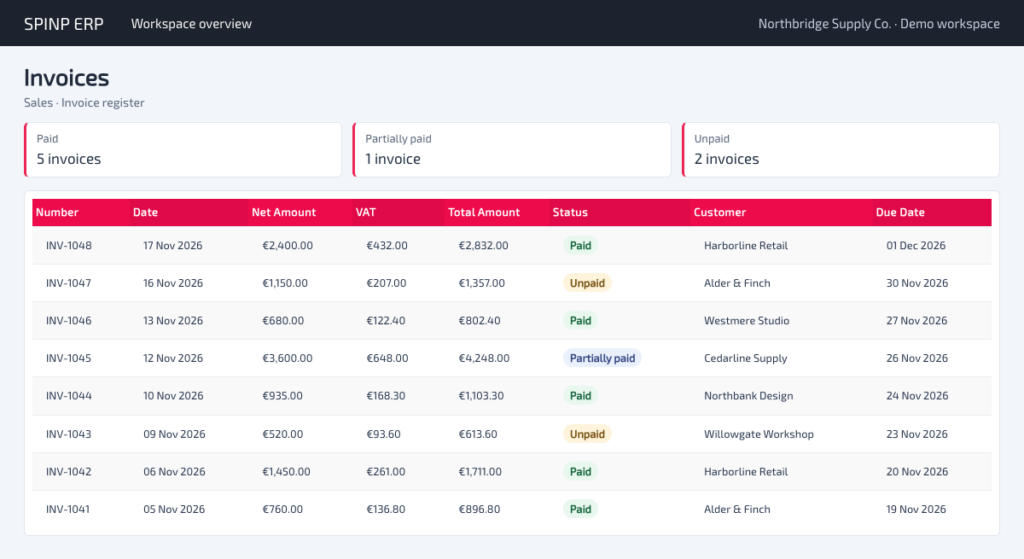
Build around your workflow. Connect the systems you already use.
We build internal tools, portals and business applications, extend existing software, and connect systems so your team can complete work without re-entering the same information.
Tell us where work slows down: a missing application, an aging system, or a process divided between other tools.
Business applications and portals
Build internal tools and customer or partner portals for requests, approvals, documents and role-based workflows.
Modernization and extensions
Improve a specific workflow or replace legacy components in stages. Review which parts should be kept, changed or retired.
APIs and system integration
Connect ERP, CRM, accounting and billing systems with APIs, webhooks or scheduled exchange, depending on what the systems support.
Payments, notifications and identity
Integrate payment providers, messaging and single sign-on where appropriate. Agree how authorization and failure handling should work.
Reporting and data migration
Consolidate reporting from approved sources. Where migration is needed, map the data, test the import and reconcile the result.
Workflow automation
Reduce repeated steps with rules for assigning requests, sending reminders and recording approvals, while keeping people in control of exceptions.
Example workflow
From accepted order to invoice
A typical integration starts with a simple question: which system should own each record, and what happens if the handoff fails?
01
Capture once
A confirmed order in the sales system triggers the agreed integration.
02
Validate and transfer
The integration checks required fields and sends the validated order to the billing system.
03
Reconcile and review
The invoice status is written back. Missing or rejected records are routed for review instead of being silently skipped.
How we work
From requirements to a maintainable release
What we hand over
A working application or integration, acceptance checks, deployment and handover documentation, and an agreed plan for post-launch support.
01
Map the workflow
Identify users, business rules, systems of record and current blockers. Decide what the first release must accomplish.
02
Design the app and integrations
Prototype the key screens and validate API access, data mappings, permissions and error paths before committing to scope.
03
Build and validate in milestones
Review working software in stages, test the agreed workflows with representative data, and agree how changes are approved.
04
Launch and hand over
Plan migration and release, document the system and its integrations, and agree who maintains each component after launch.
Planning your project
Frequently Asked Questions
Can you work with our existing system?
Yes, subject to reviewing the code, available access and documentation. We can propose an extension, an integration or phased replacement.
Should we build from scratch or use an existing product?
We start with the workflow. Where standard software already meets your needs, an extension or integration may make more sense than a new build.
What if a provider does not offer an API?
We assess supported alternatives such as file exchange, scheduled exports or a phased workflow change. We confirm feasibility before promising an integration.
How do we protect day-to-day operations during migration?
We can scope staged imports, test reconciliation, clear approval gates and a rollback plan where practical. The approach depends on the systems and records involved.