Run sales, operations and finance from the same records.
Track the quote, the stock it needs and the invoice that follows. Manage your people and projects in the same browser-based workspace, and start with the modules your business needs.
Follow everyday processes across teams, from the first lead to a paid invoice, or from a purchase order to a stock adjustment and the accounting records that follow.
Plan the team before you run payroll
Keep employee records and work schedules organised, then review time and leave before preparing wage lists. HR and finance can work from the same records with separate access rights.
Recruit and onboardTrack hiring campaigns and maintain staff and contract records.
Schedule and record timeOrganise shifts, record attendance and review leave requests.
Prepare wage listsReview wage calculations and check results for the selected period.
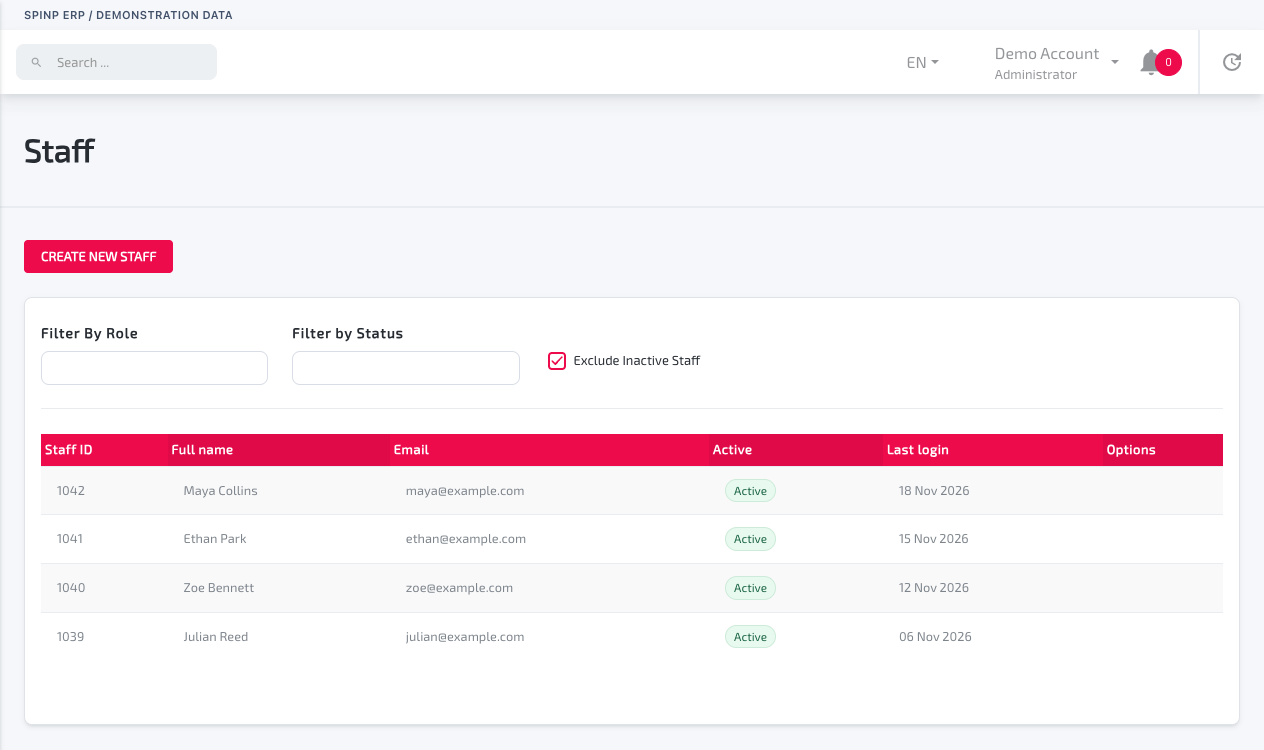
Employee profiles with active status and account activity.
Manage prospects, accounts and authorised contacts together. Use the customer portal to keep selected commercial documents and project information available to clients without relying on email chains.
Qualify the leadTrack the lead source, owner and follow-up status.
Share the offerPrepare proposals and estimates; decide which contacts can see their records in the portal.
Invoice and follow upTrack amounts due, payments, credit notes and debit notes.
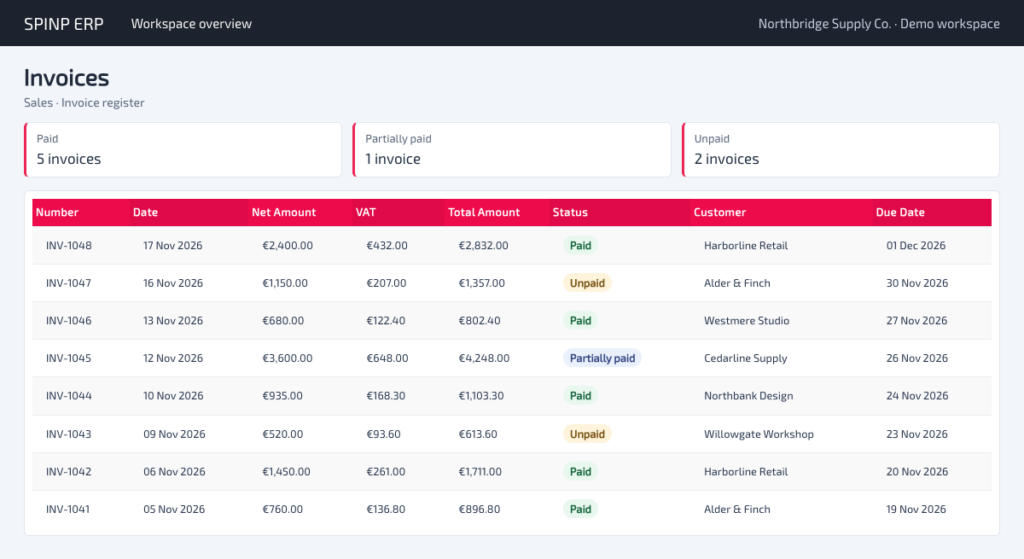
Compare invoice totals, payment status and due dates.
Know what has been delivered and what is still open
Connect a project to its customer, set milestones and assign work. See who owns the next task and use recorded time and project status to support client updates or management reviews.
Plan deliveryDefine milestones, dates, project members and responsibilities.
Track work and timeAssign tasks, follow progress and record staff time against work.
Report progressReview project and timesheet reports for customers, managers or auditors when appropriate.
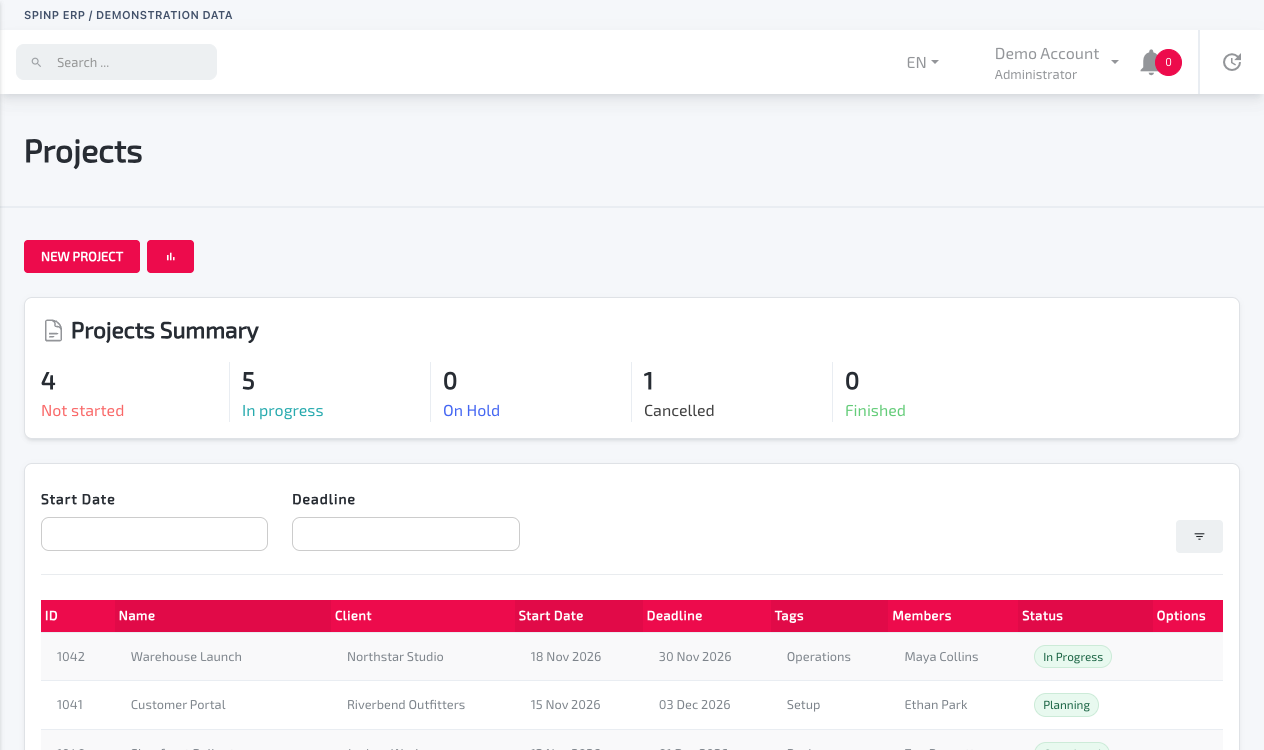
View client projects, assigned members, deadlines and status.
See what you buy, what you hold and where it moves
Maintain one catalogue for products and materials. Use purchase orders, receipts, deliveries and transfers to track inventory across locations, and define what goes into assembled products.
Maintain the catalogueSet up products, units, categories and material compositions for assembly.
Buy and receiveCreate purchase requests and orders, then record goods received and supplier invoices.
Track inventory and assetsReview stock history and costs, transfer goods and maintain asset and depreciation records.
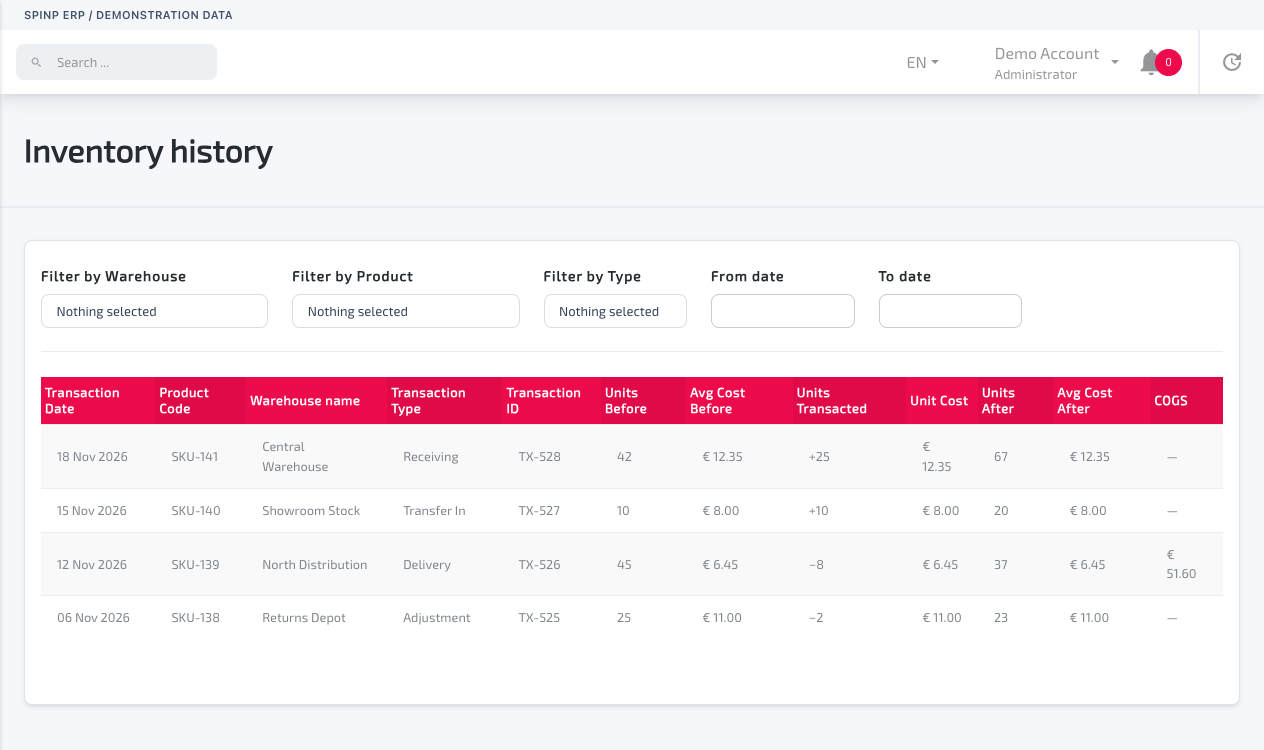
Trace stock movements, unit costs and changes in stock on hand.
Go from a source document to a reviewed financial report
Set up your chart of accounts and posting rules. Follow transactions into the journal, reconcile accounts and review results by period from the accounting workspace.
Configure postingMap transactions to the accounts your finance team uses.
Review and reconcileCheck journal entries and reconcile bank and cash accounts.
Prepare period-end reportsReview the balance sheet, profit and loss, trial balance and general ledger with your accountant.
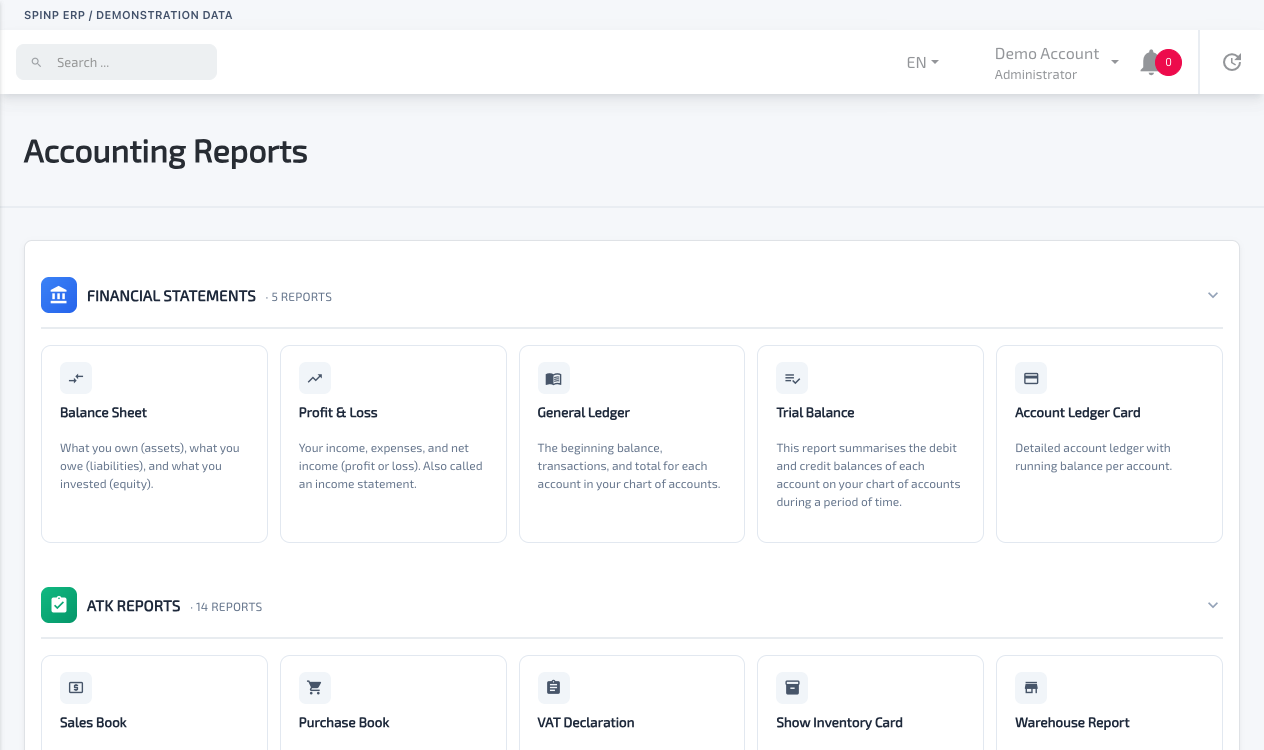
Open balance sheet, profit and loss, trial balance and ledger reports.
Create repeatable documents and keep the originals accessible
Use reusable templates and merge fields for routine agreements and letters. Track contracts and organise approved files and scans in the electronic archive instead of scattering copies across inboxes.
Set up templatesDefine merge fields and reuse consistent wording and formats.
Generate and organiseGenerate documents for staff or contacts. Store approved copies in Media as your process requires.
Manage follow-upTrack contract dates and use tickets, outreach and call-centre tools where relevant.
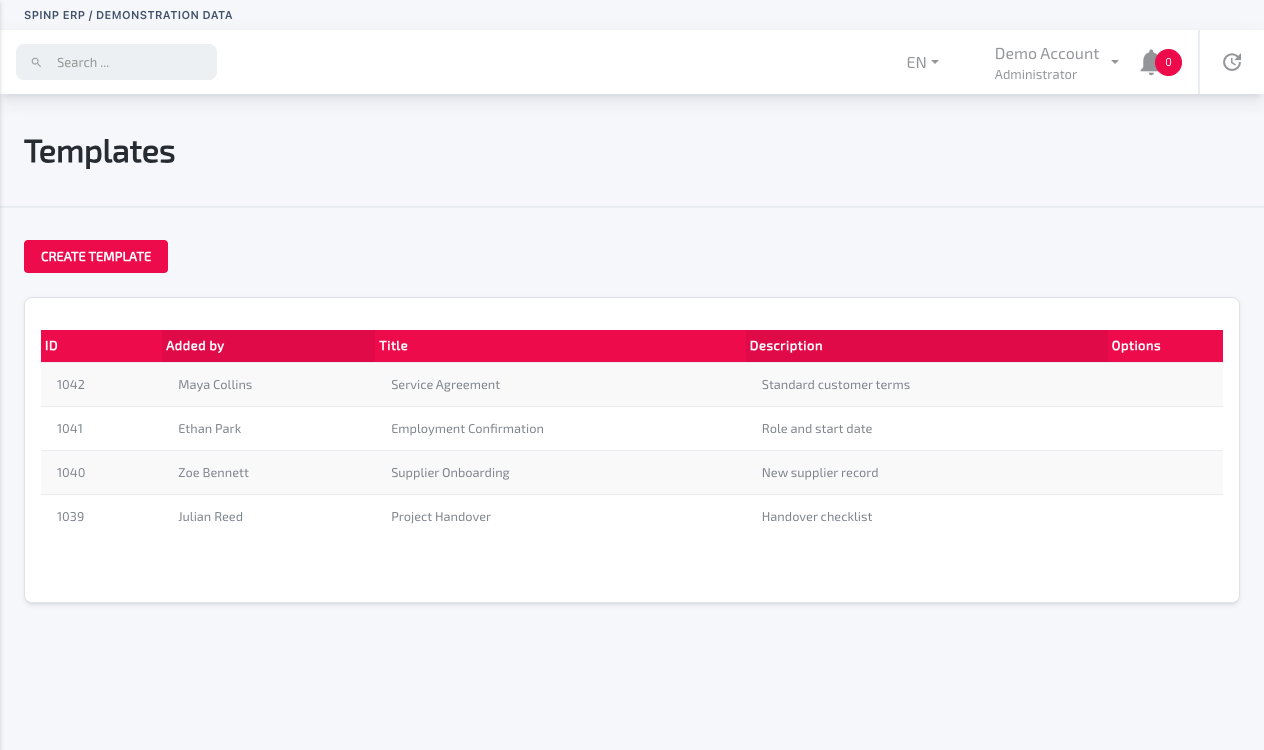
Find reusable templates for agreements, onboarding and handovers.
Use a checkout workspace for retail transactions or the restaurant workspace for tables and kitchen orders. For electronic fiscal receipts in Kosovo, see Integro, SPINP's separate fiscalization product.
Retail checkoutWork with items, discounts, payment methods and receipt records.
Restaurant serviceReview the floor plan, open checks and kitchen queues.
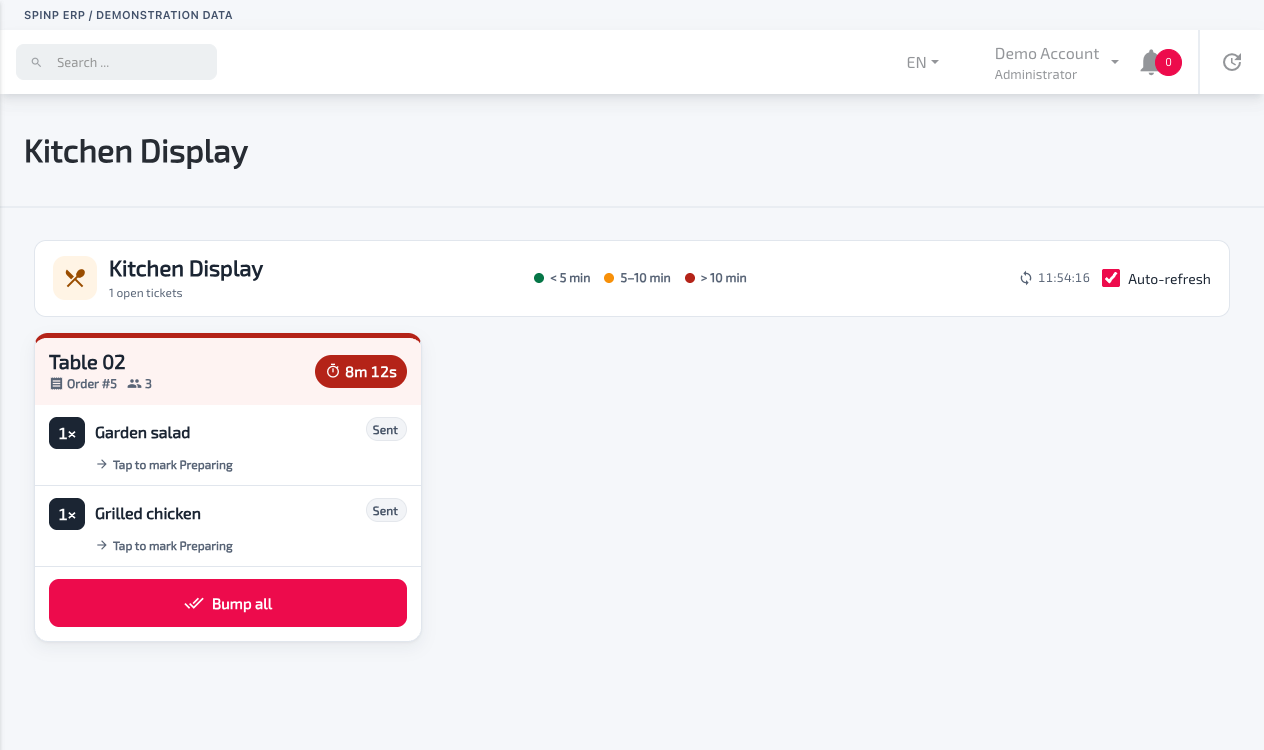
Coordinate kitchen ordersSee the items on open tickets and follow their preparation status.
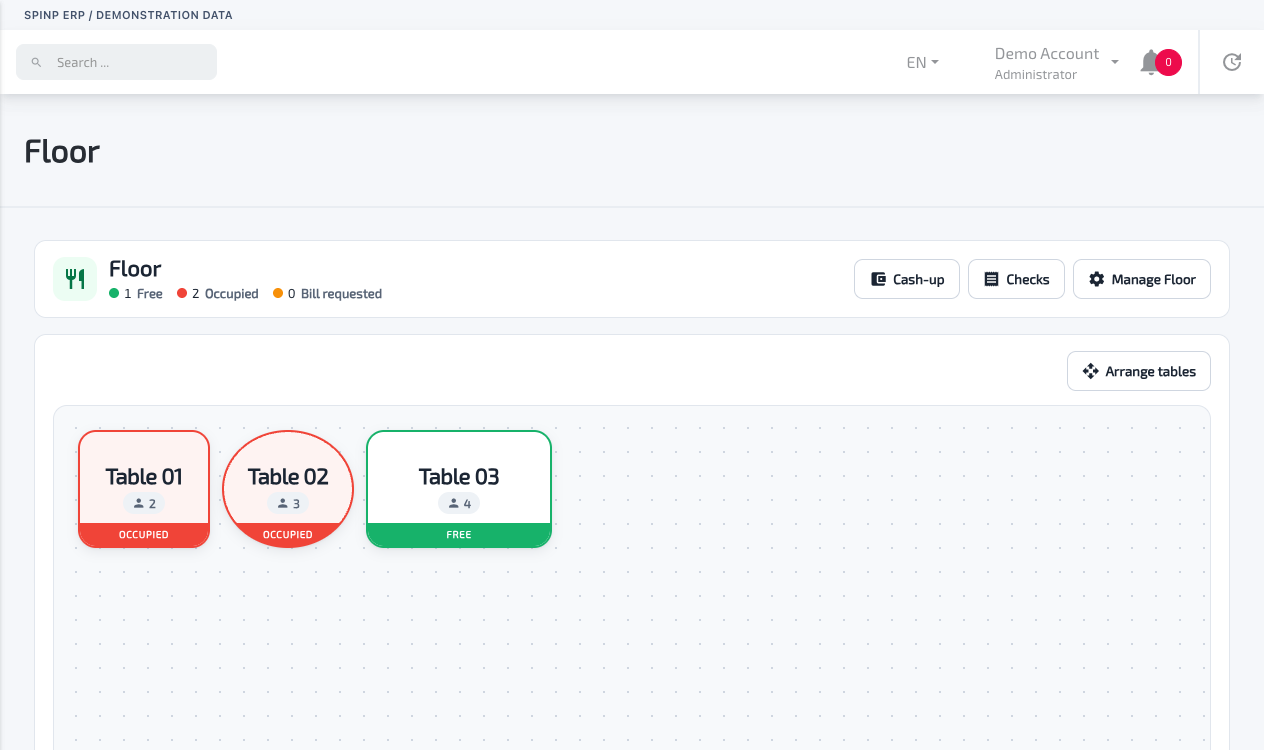
See free and occupied tables, with access to checks and cash-up.
These are screens from the SPINP ERP demo workspace. Where records are shown, identifying details have been removed or replaced with examples.
Business dashboard
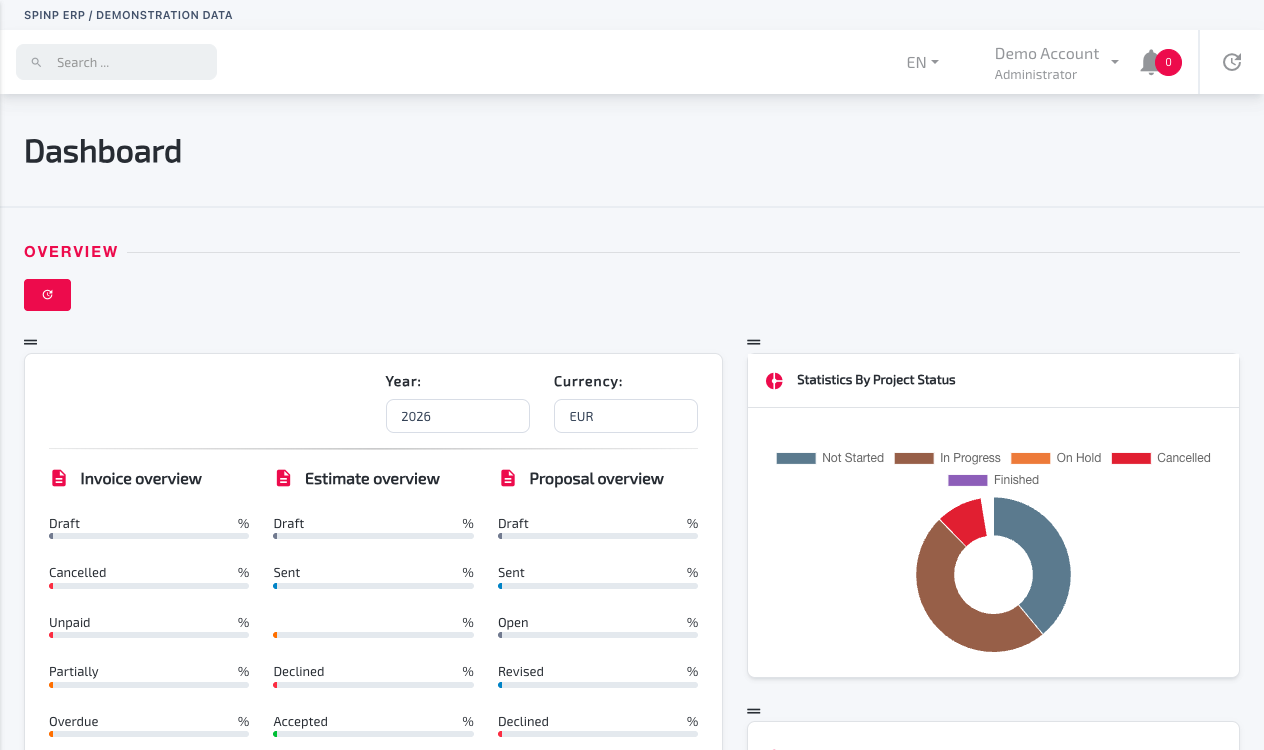
Invoice, estimate and proposal overviews alongside project status.
Staff directory
Employee profiles with active status and account activity.
Attendance calendar
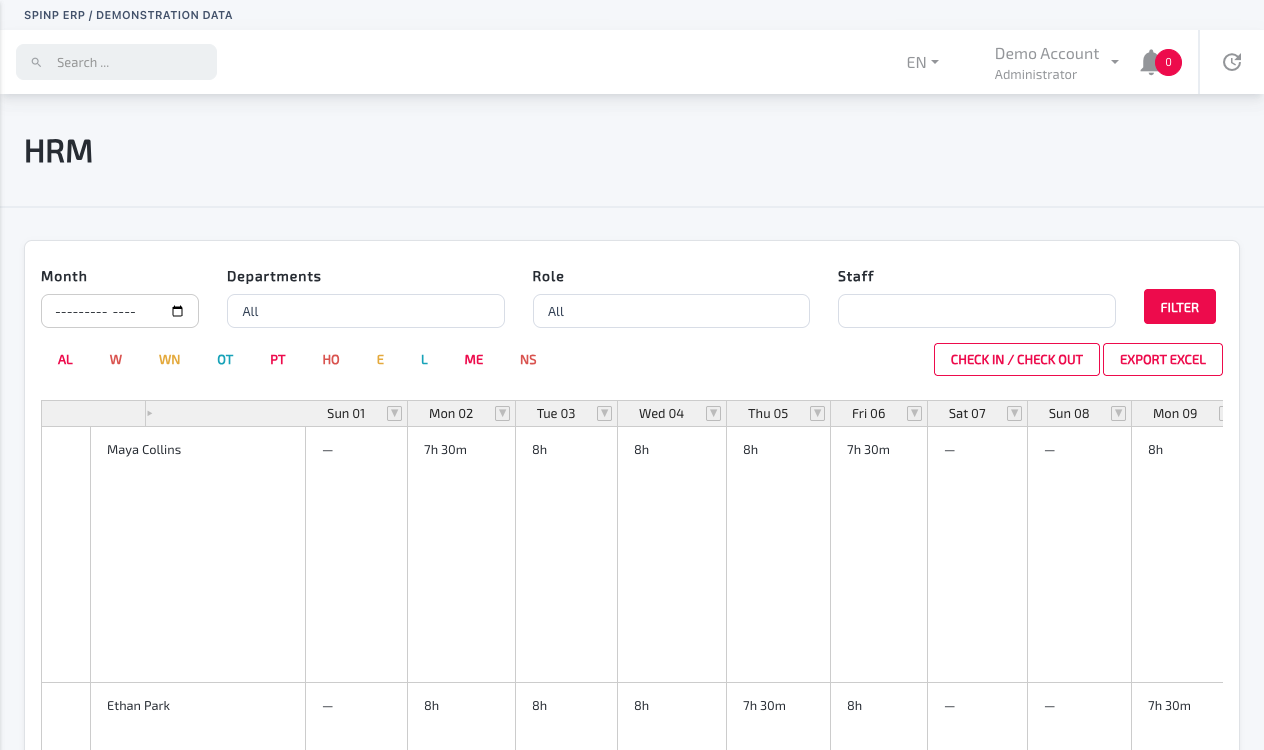
A monthly view filtered by employee, role or department.
Leave requests
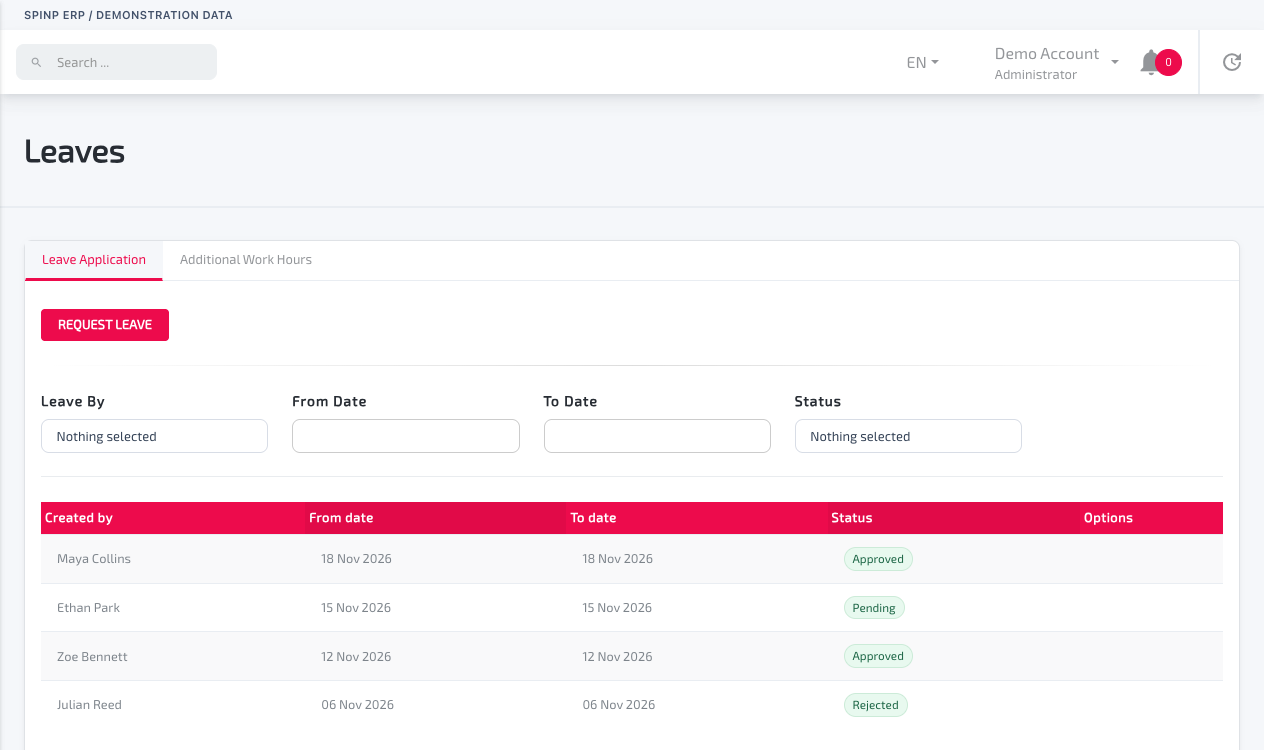
Check who requested leave and the dates and status of each request.
Wage calculations
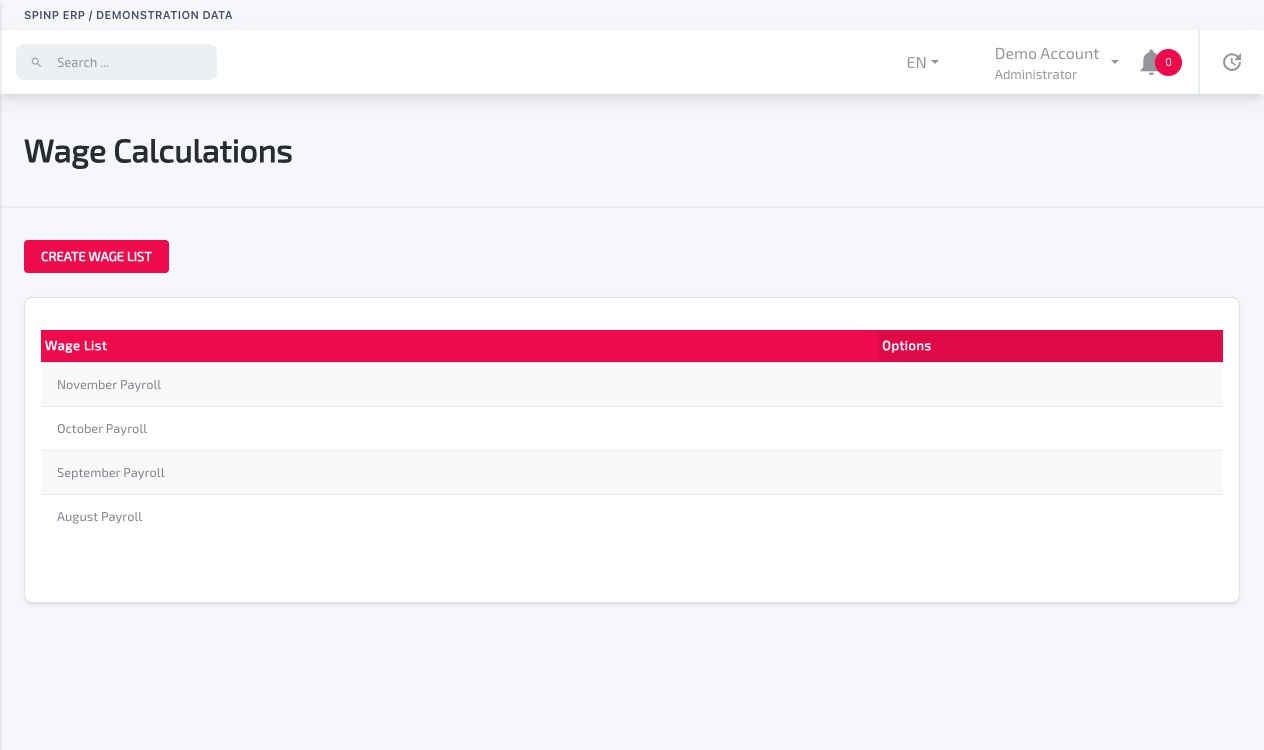
Open wage lists by payroll period.
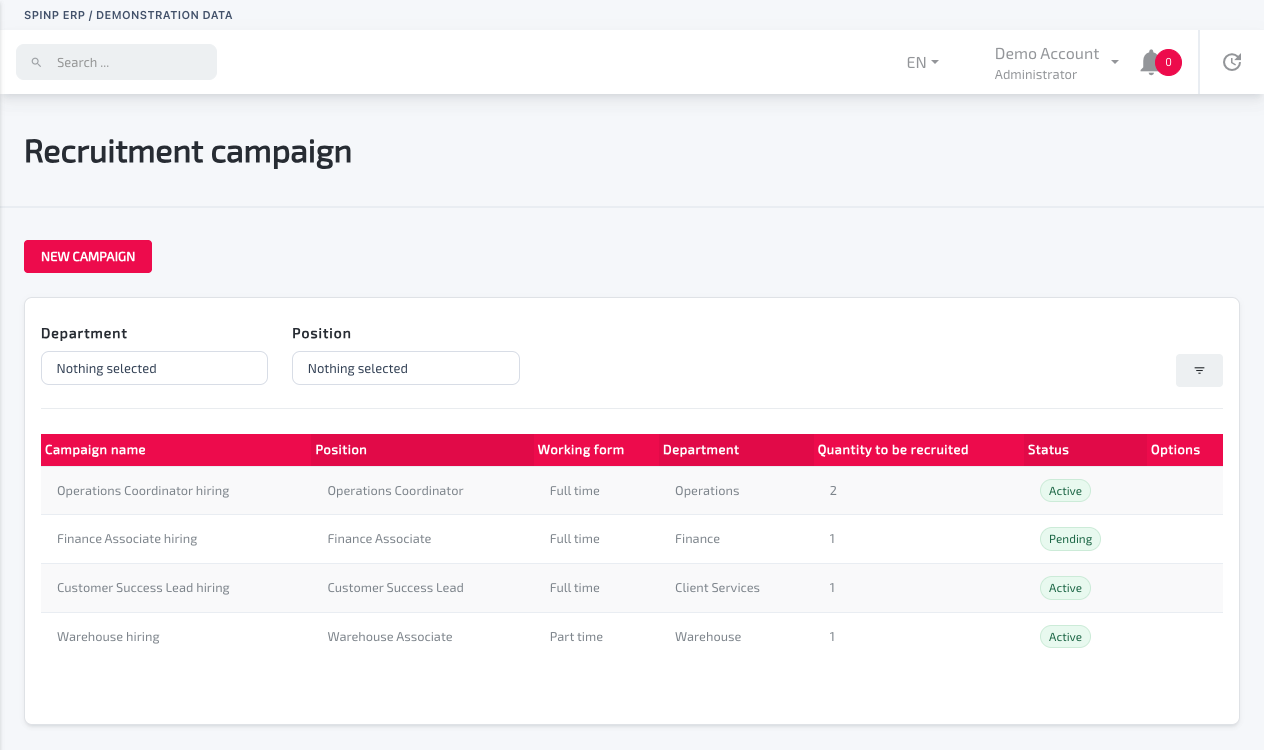
Recruitment campaigns
Review hiring activity by position, department and status.
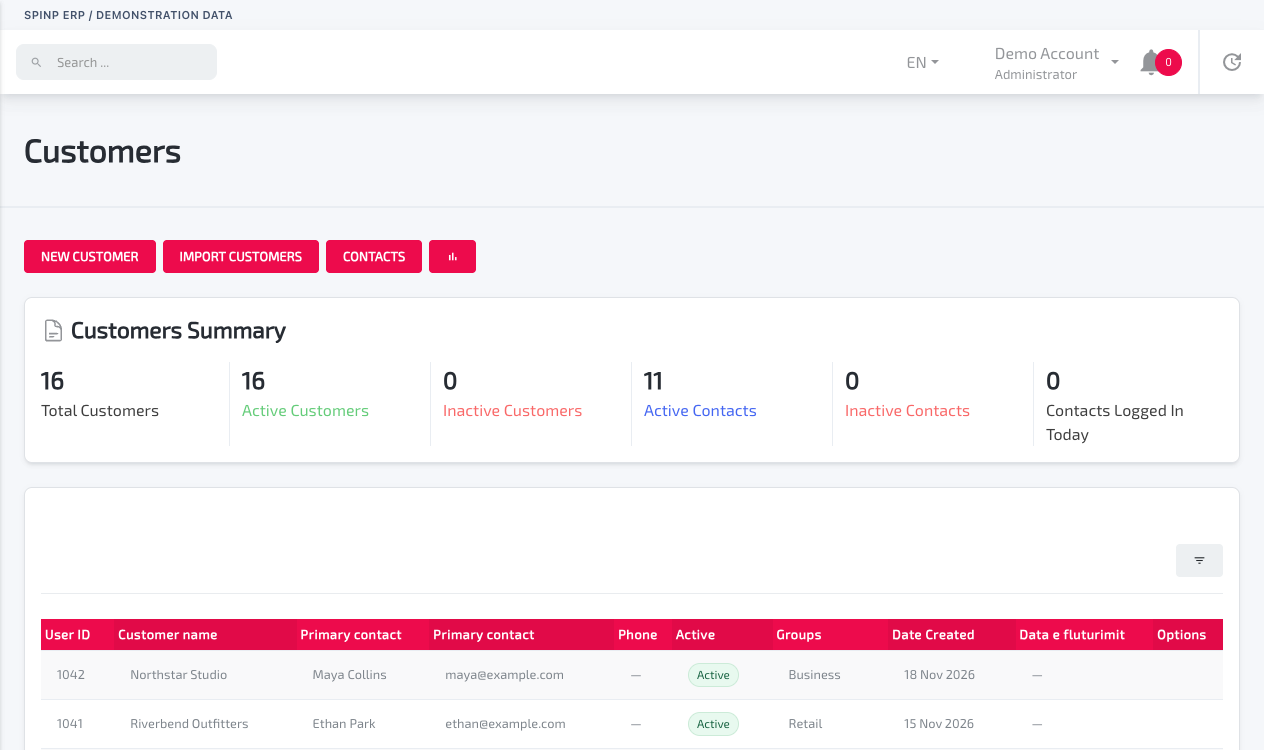
Customer accounts
Review companies, contacts, groups and active accounts.
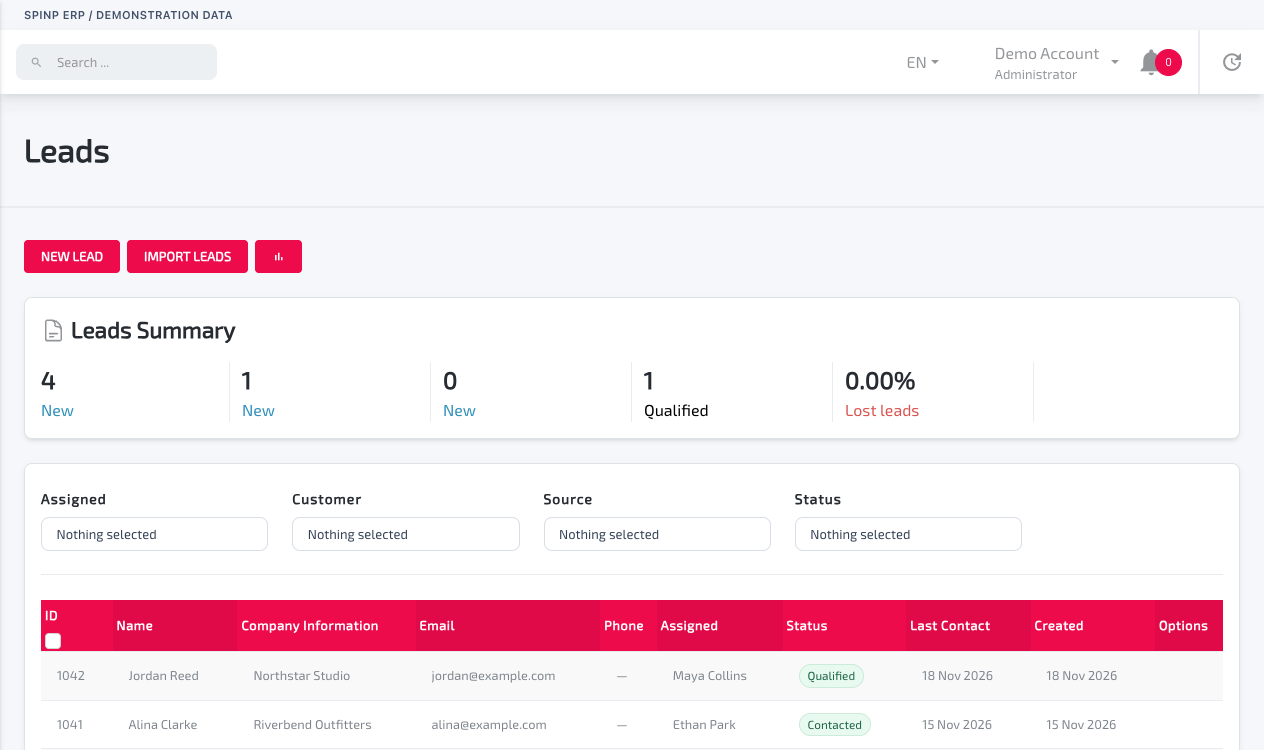
Lead pipeline
Check qualification status, contact history and follow-up ownership.
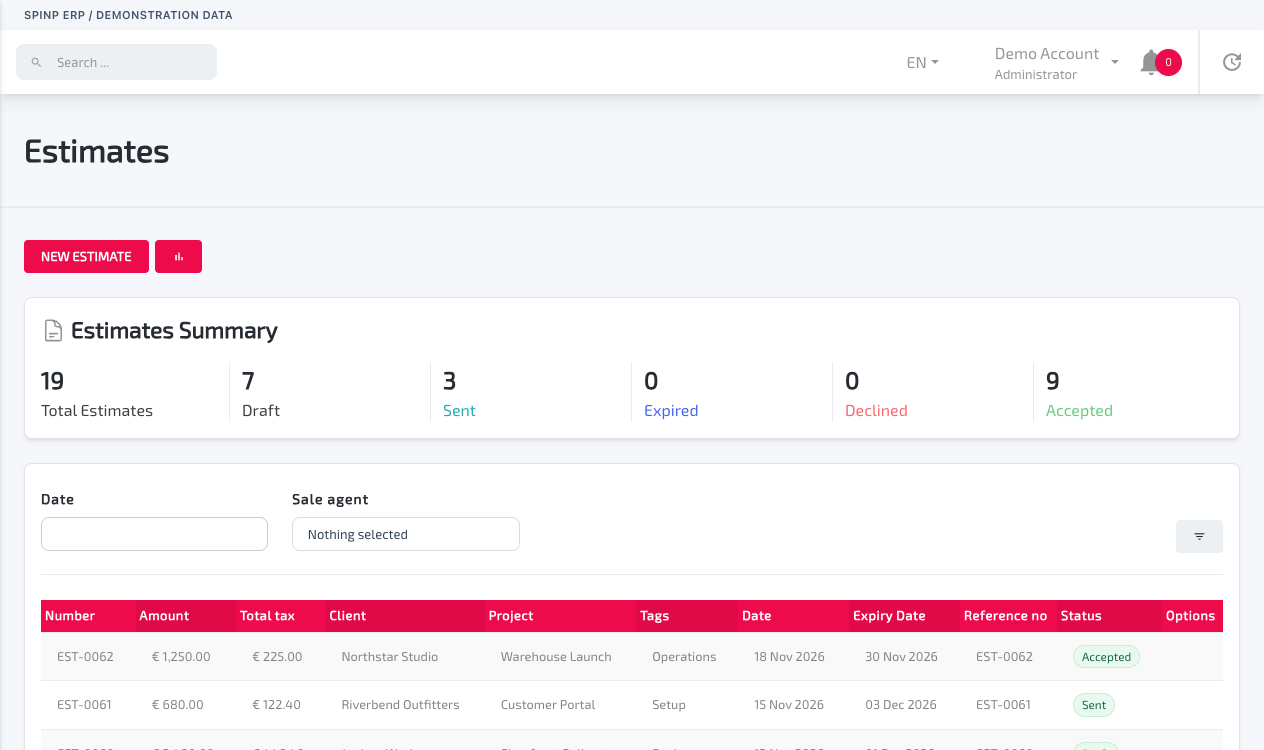
Sales estimates
Check customer, project, estimate value and expiry date.
Invoice register
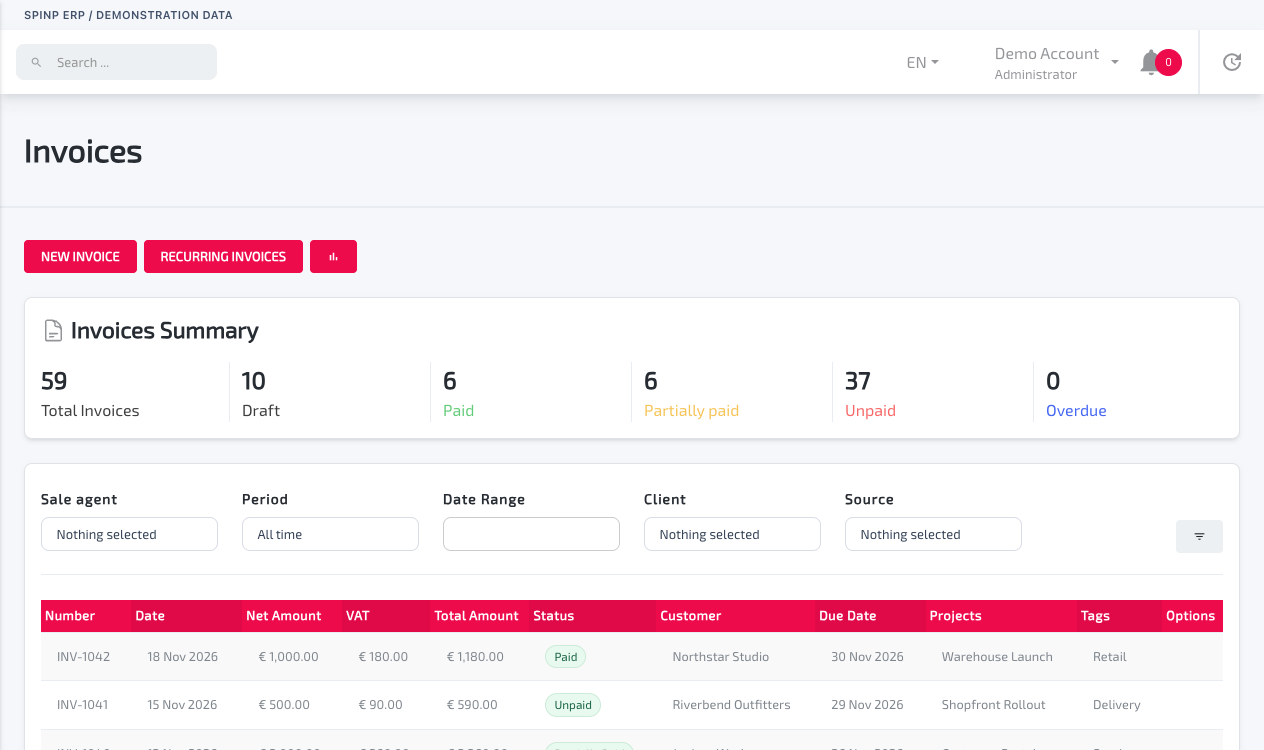
Compare invoice totals, payment status and due dates.
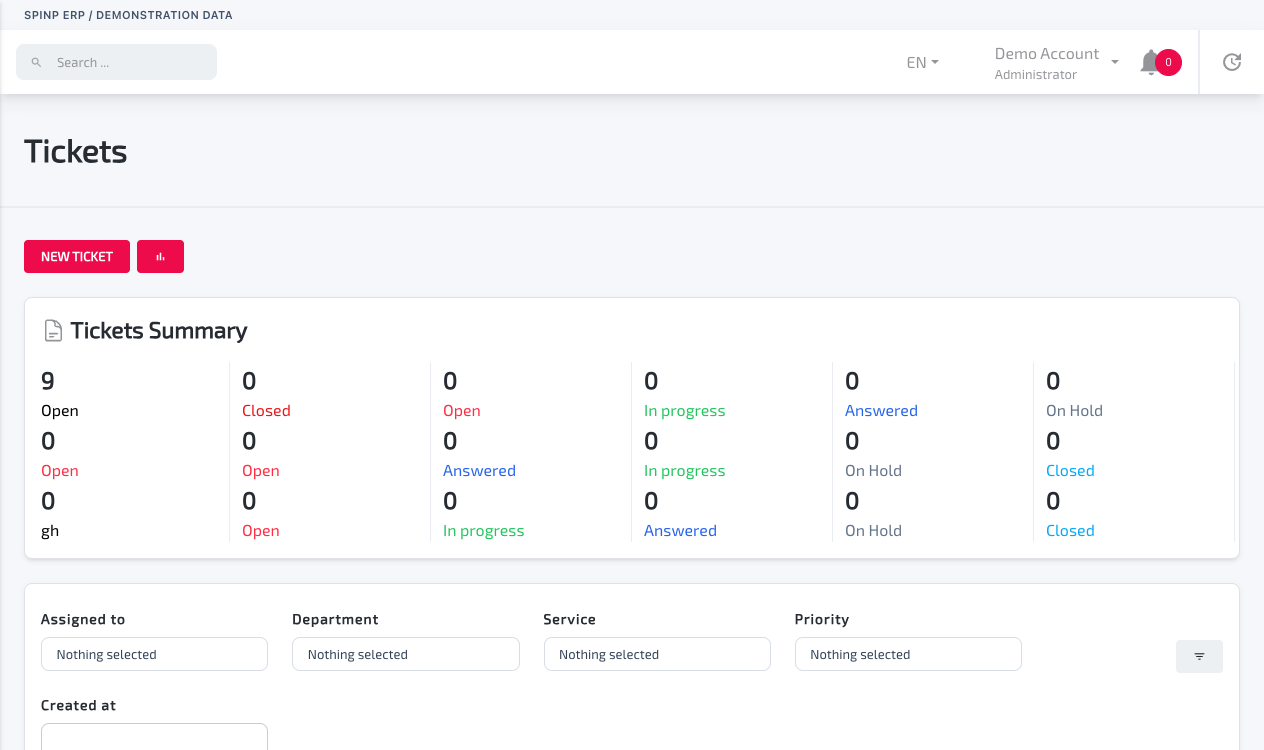
Support tickets
Review the service queue, assigned owner and responses.
Project portfolio
View client projects, assigned members, deadlines and status.
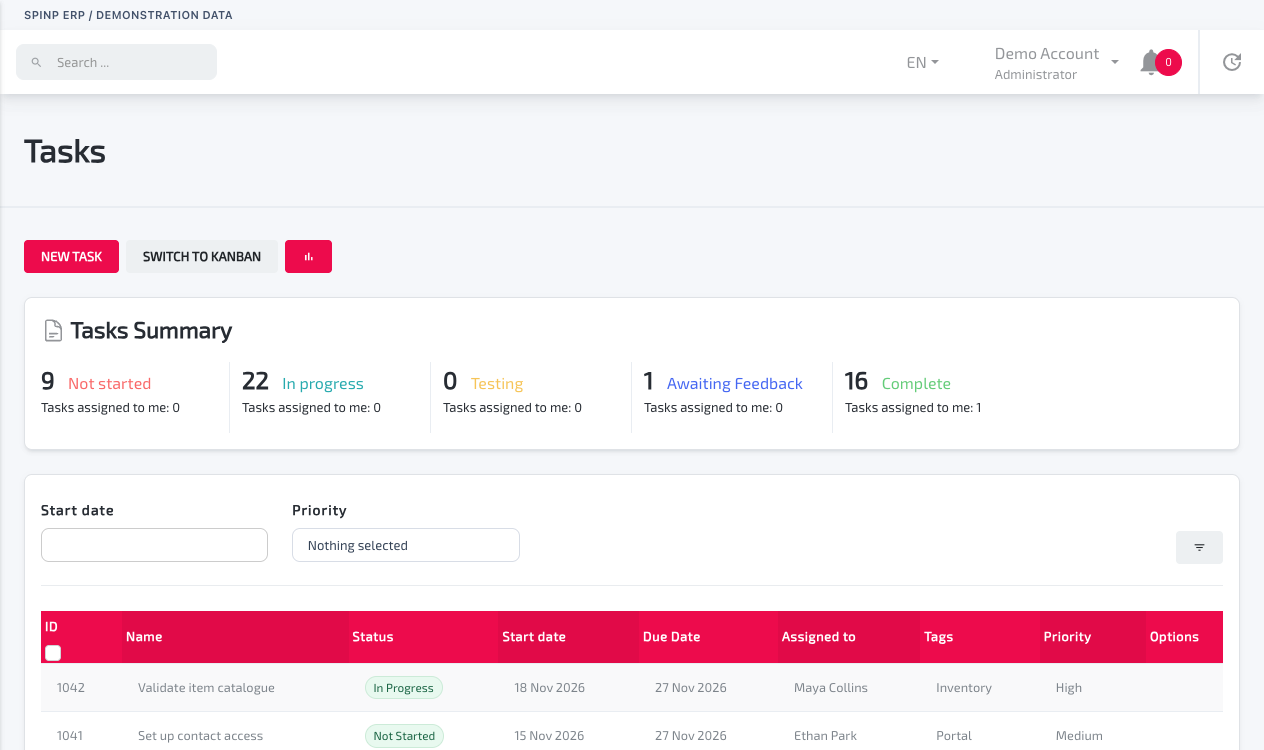
Task register
Scan outstanding work by assignee, due date and priority.
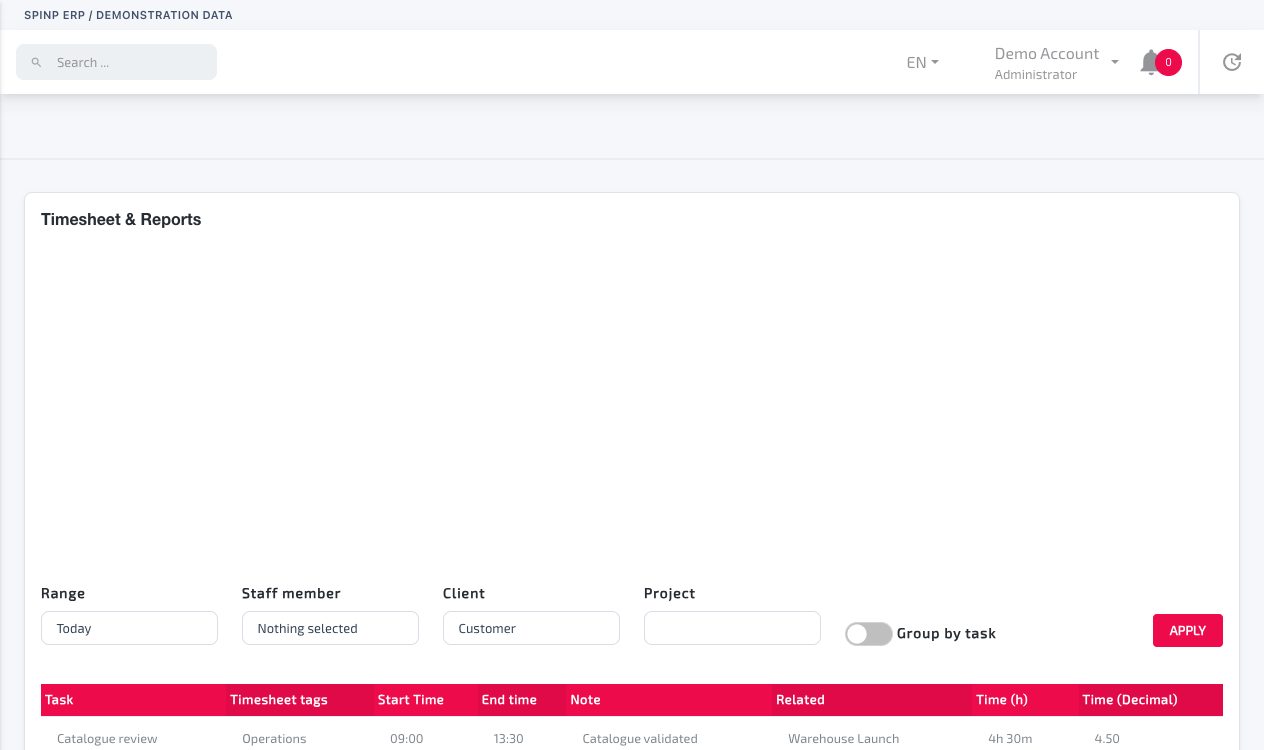
Staff timesheet reports
Review time entries, the related work and recorded hours.
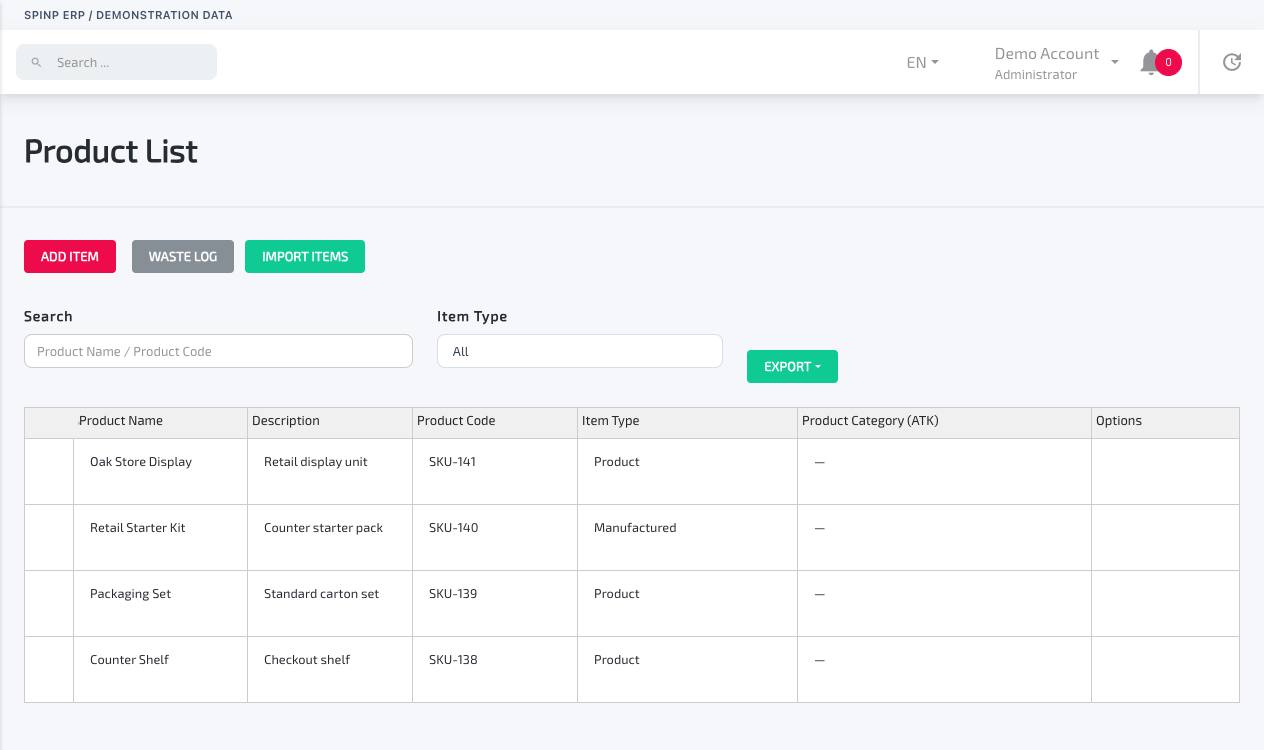
Product catalogue
Maintain item codes, descriptions, types and categories.
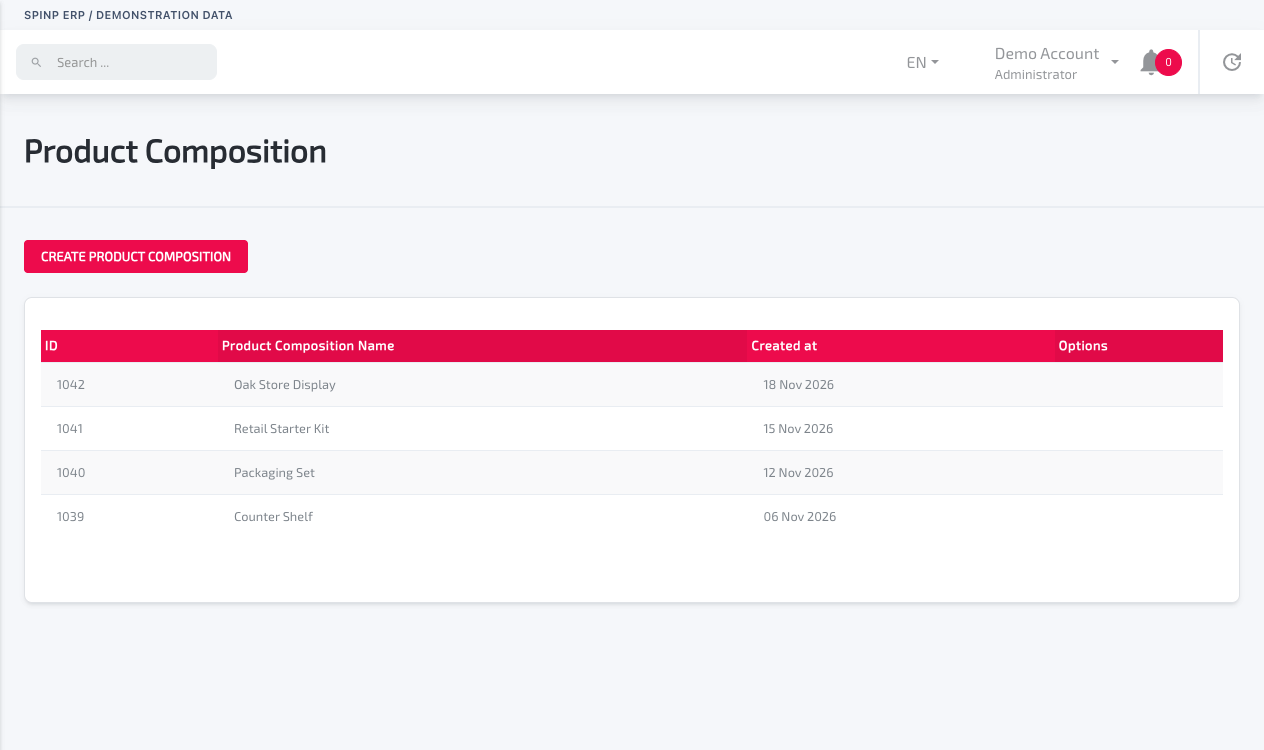
Product composition
Find the saved compositions for assembled products.
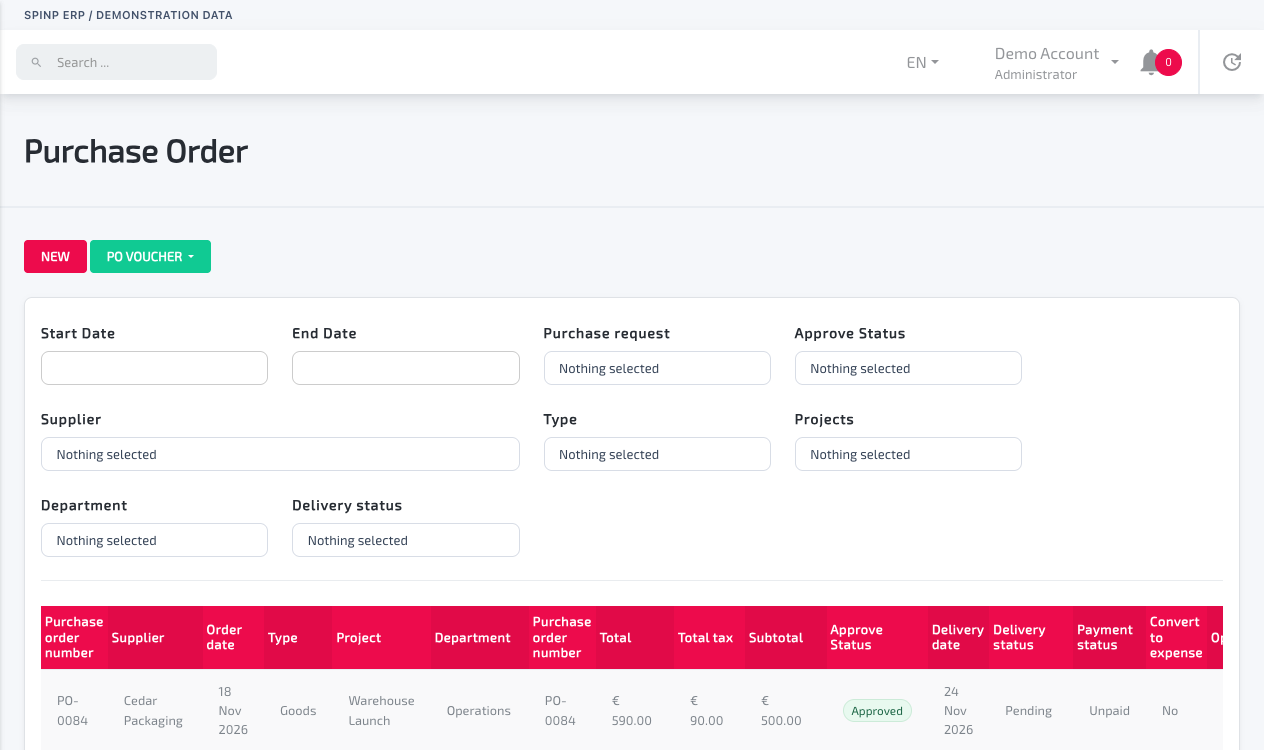
Purchase orders
Track the supplier, associated project and purchasing status.
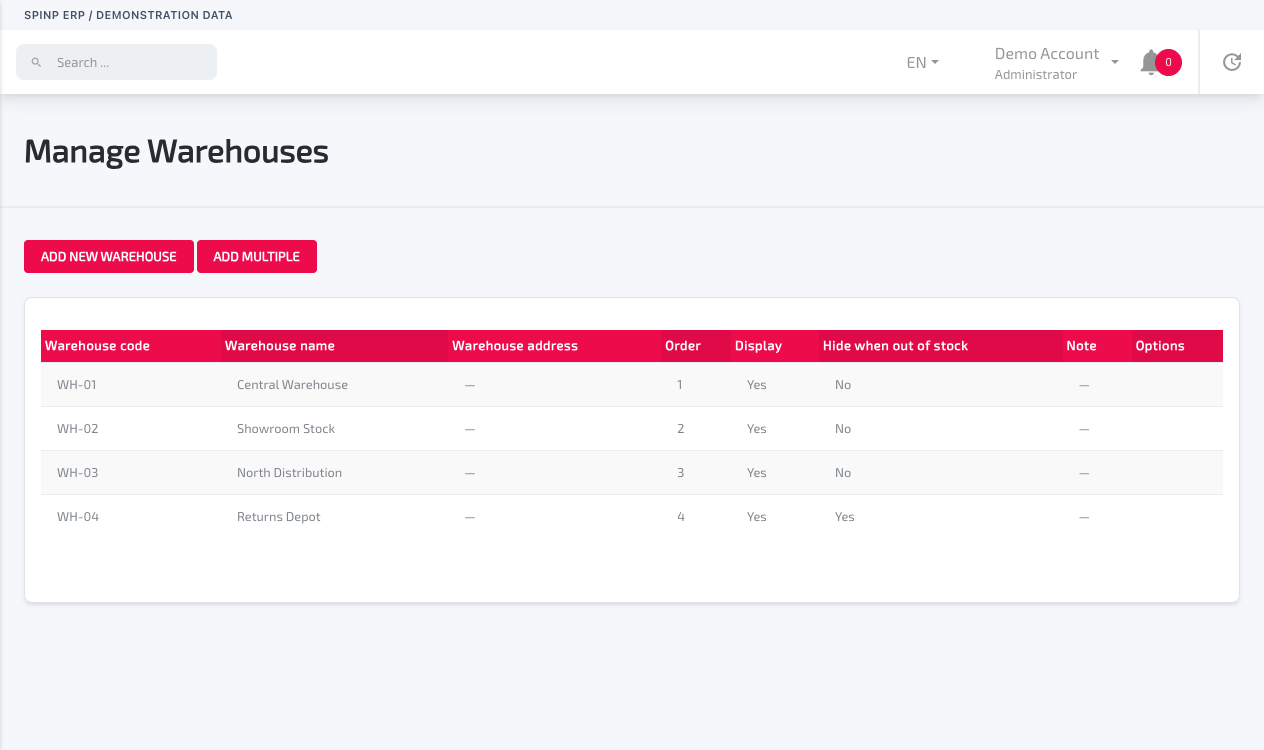
Warehouse register
Manage the stock locations your teams work from.
Inventory history
Trace stock movements, unit costs and changes in stock on hand.
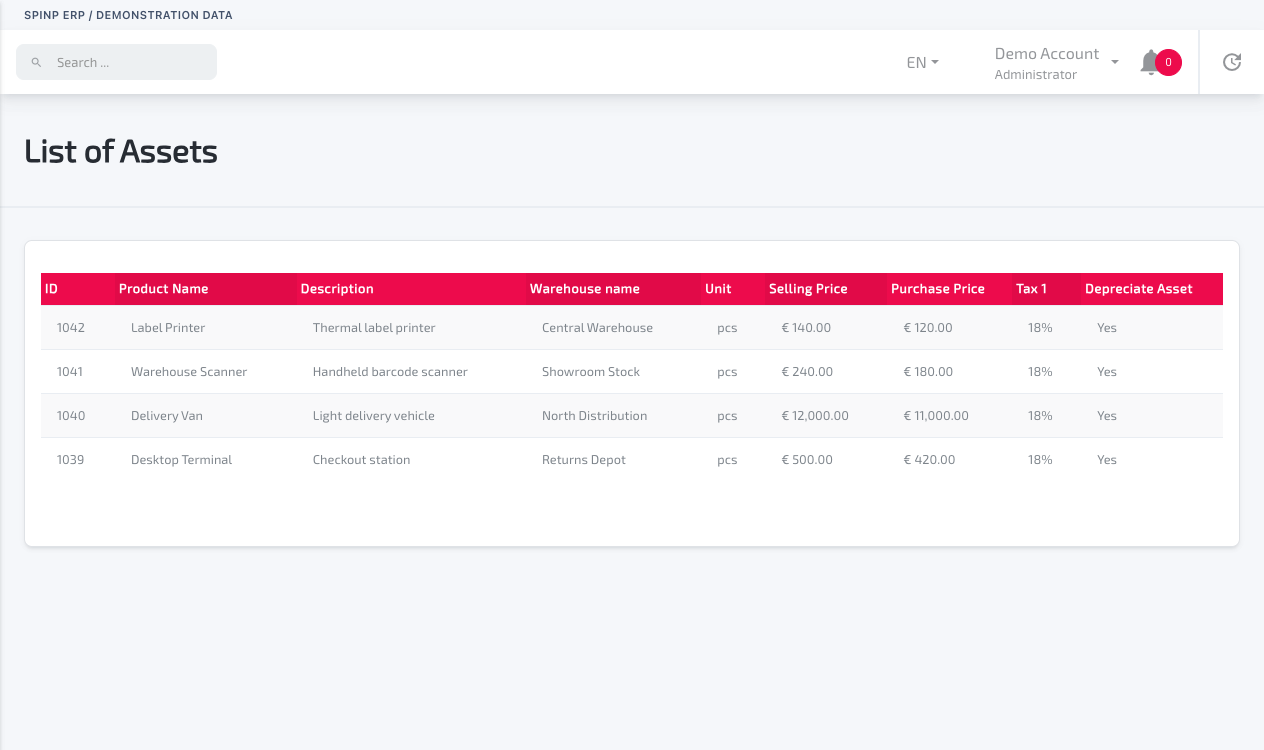
Asset list
Review equipment and other assets, their location and recorded purchase cost.
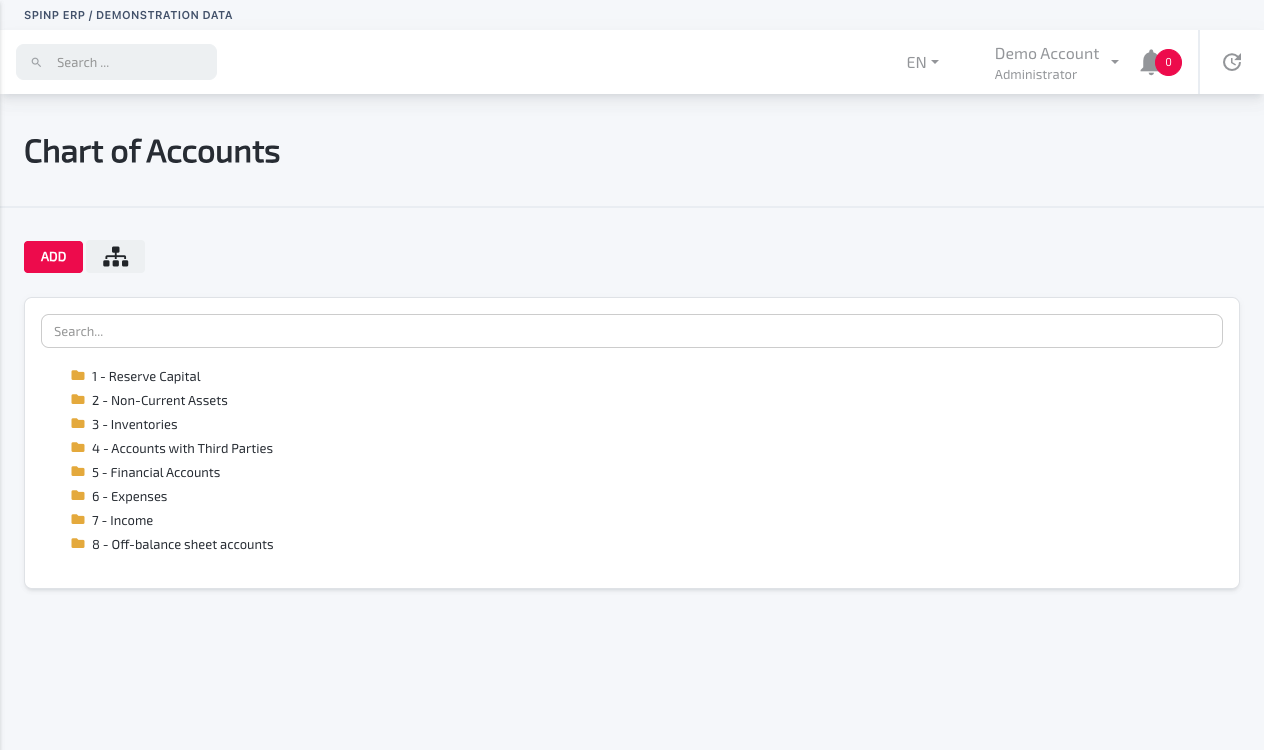
Chart of accounts
Browse the account hierarchy used to organise postings.
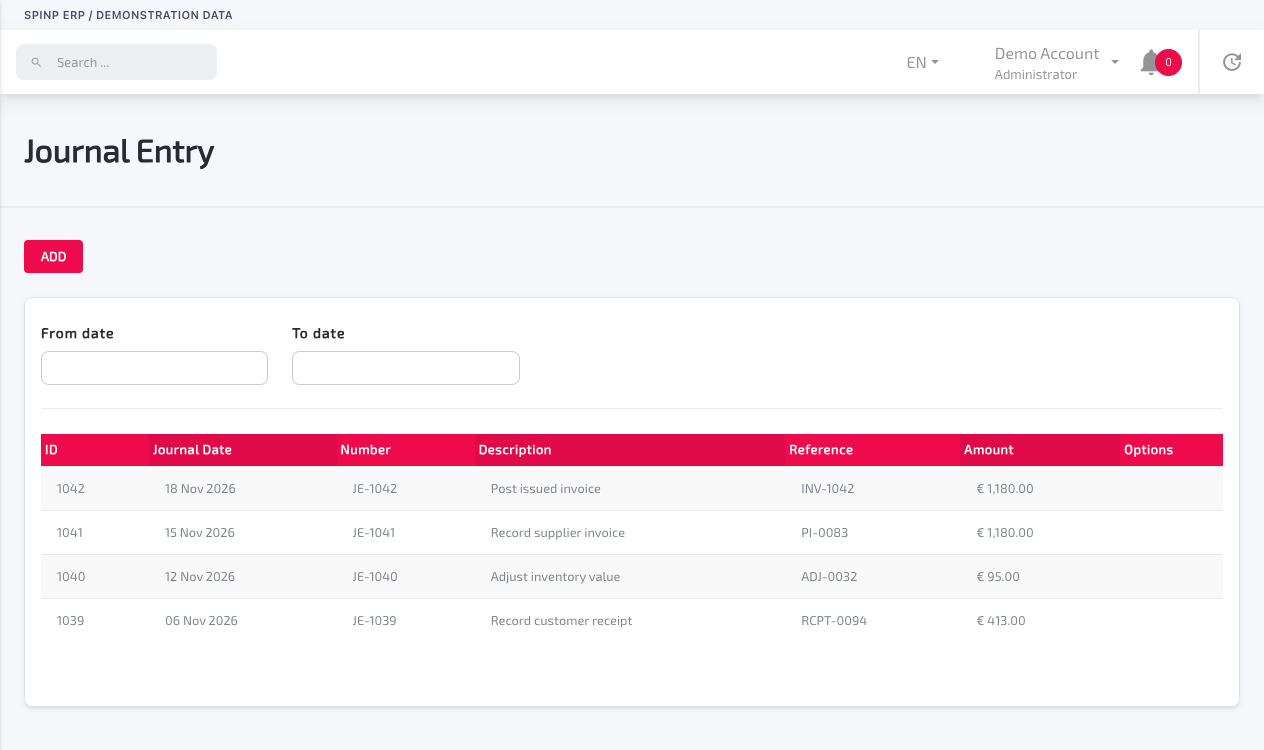
Journal entries
Review posting dates, reference numbers and amounts.
Accounting reports
Open balance sheet, profit and loss, trial balance and ledger reports.
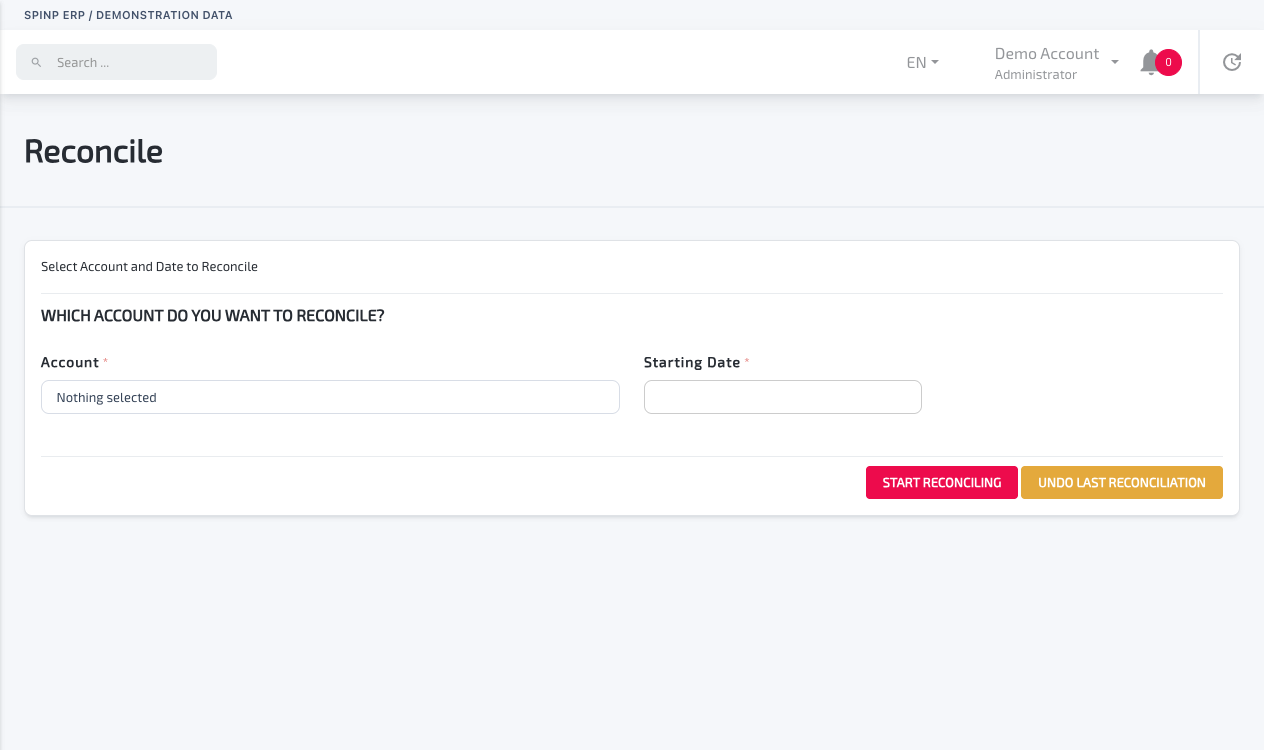
Account reconciliation
Select an account to begin reviewing its recorded transactions.
Document templates
Find reusable templates for agreements, onboarding and handovers.
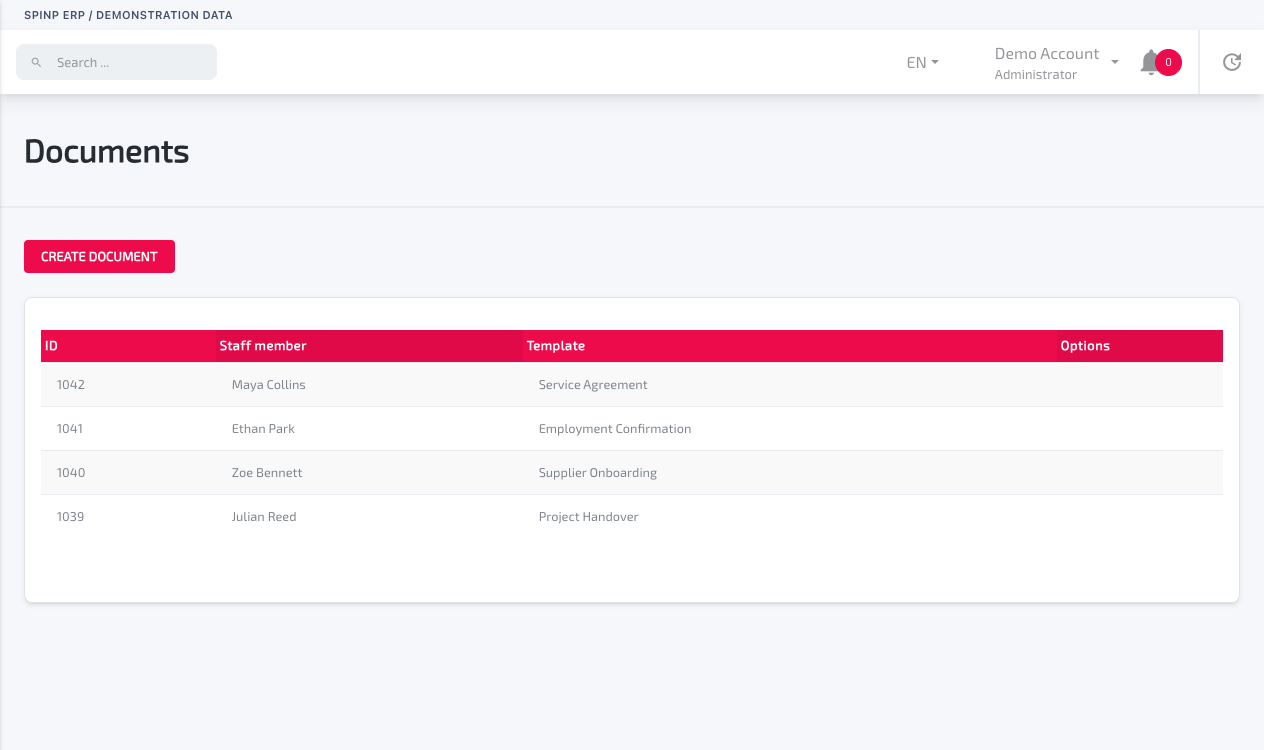
Generated documents
See which template was used and the employee associated with the document.
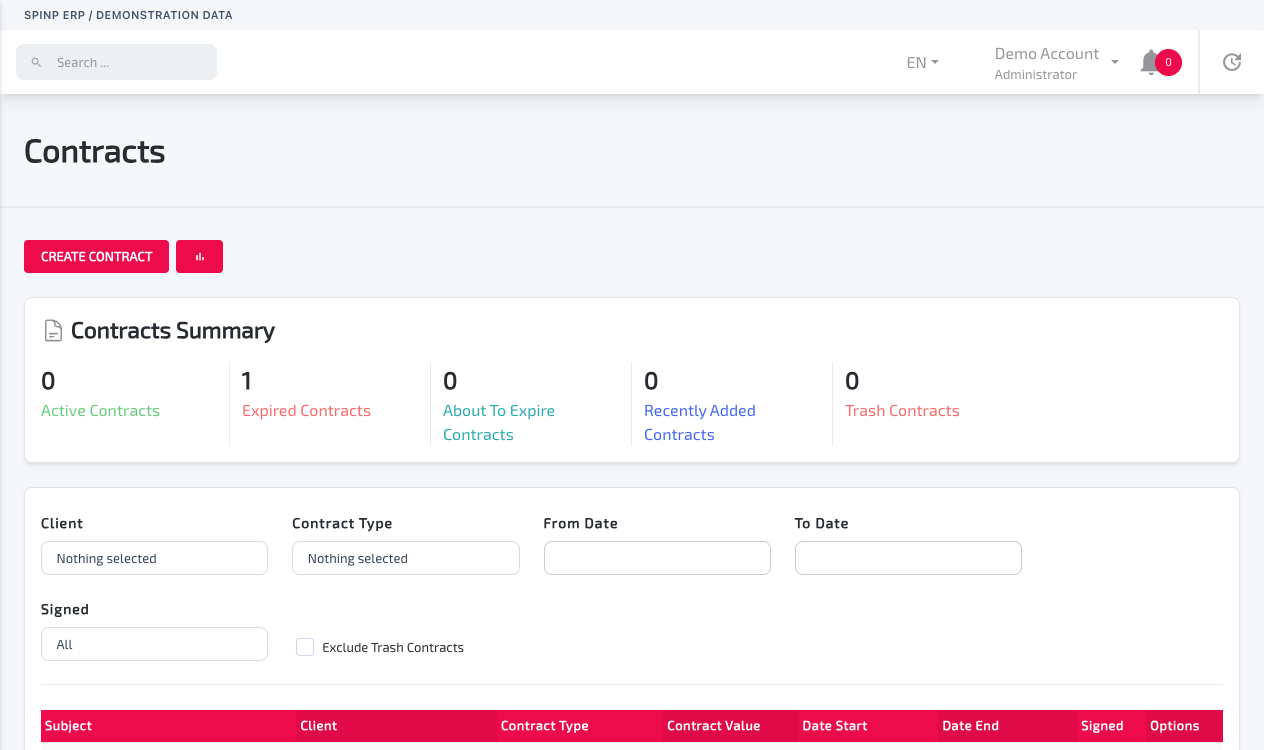
Contract register
Review agreements, value, dates and signature status.
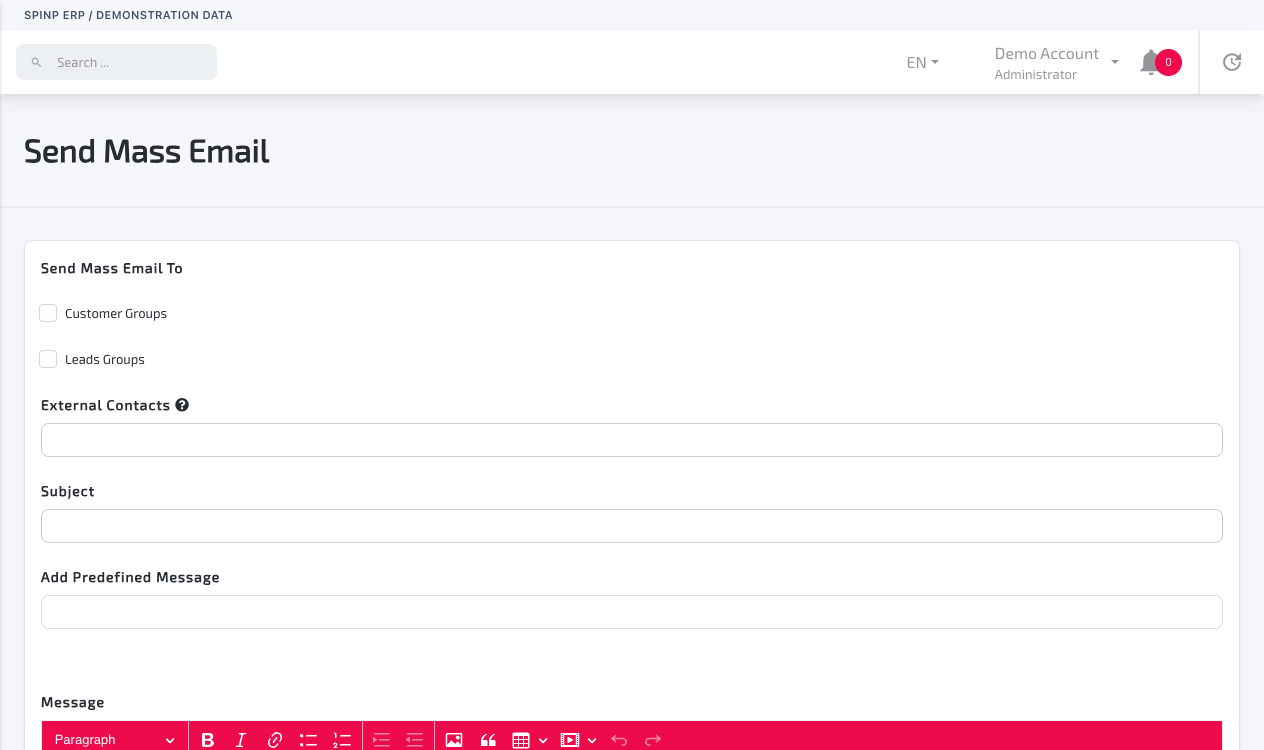
Group email
Choose recipient groups and prepare a reusable message.
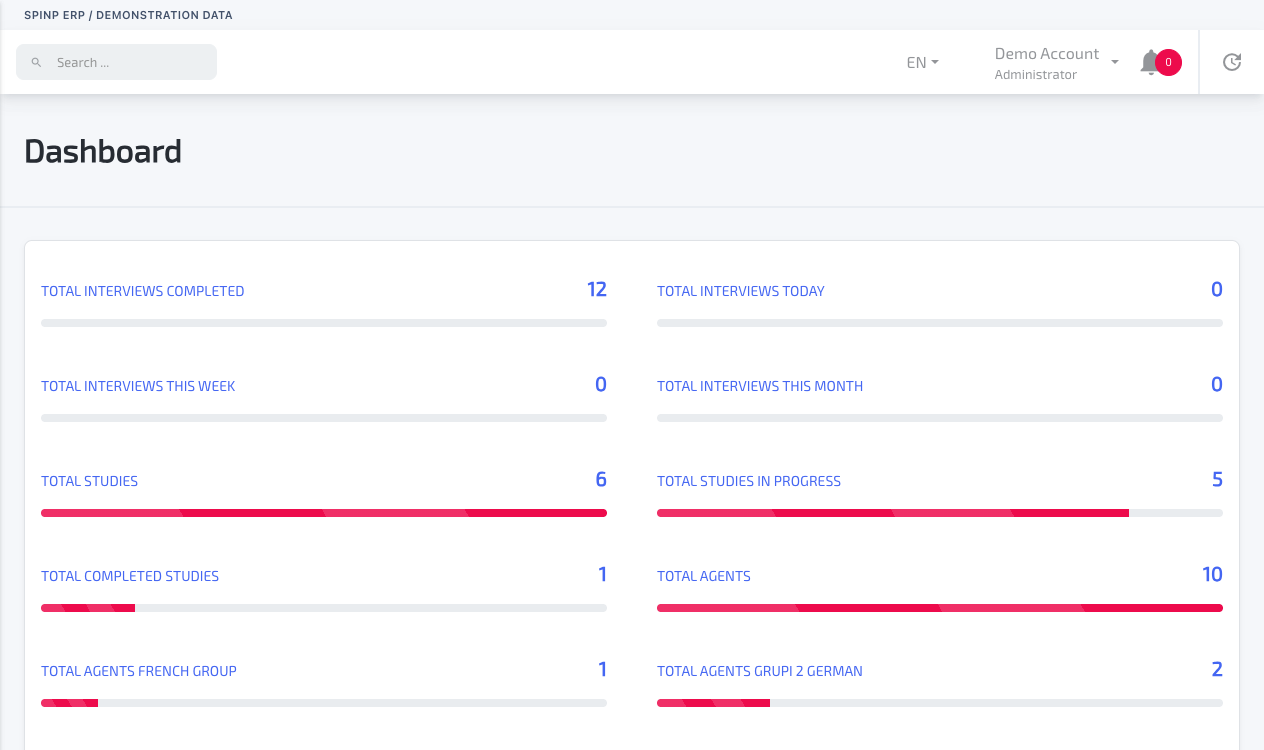
Call-centre dashboard
Review call-centre studies and agent reporting.
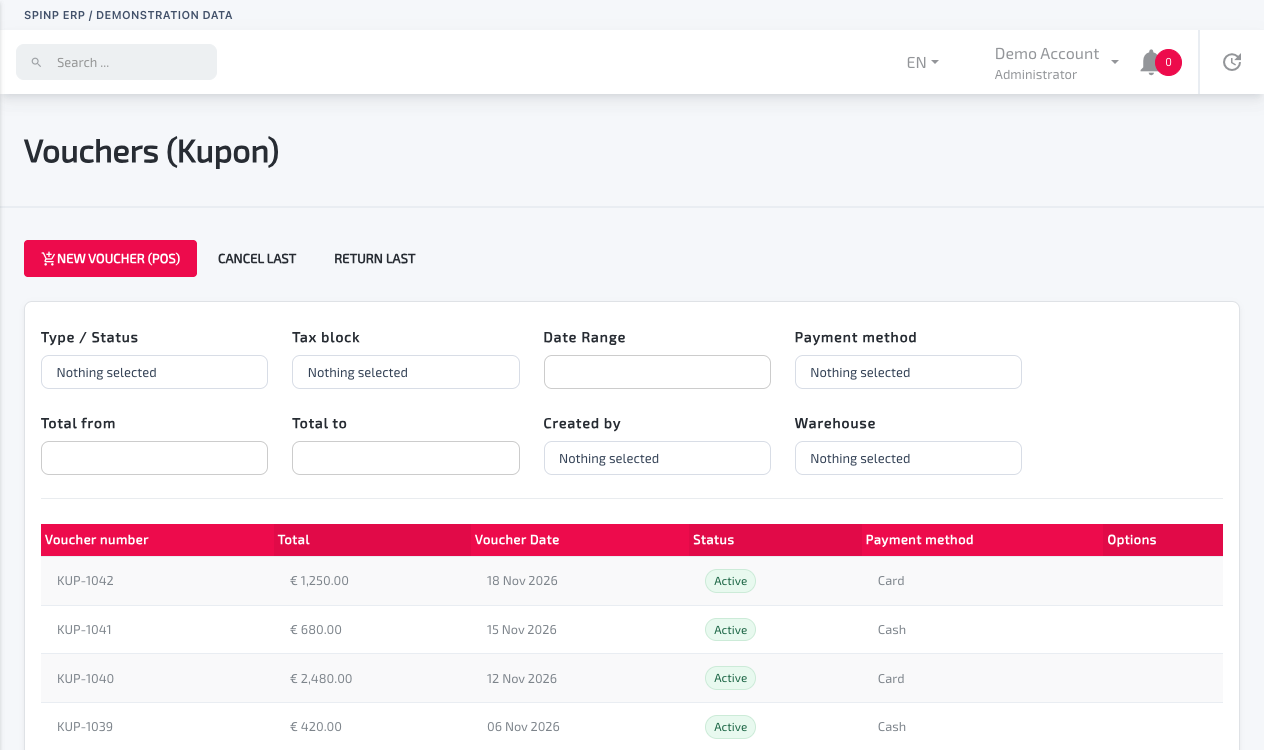
Retail voucher register
Find receipt records by date, status, payment method or warehouse.
Restaurant floor
See free and occupied tables, with access to checks and cash-up.
Kitchen display
View incoming tickets and the items awaiting preparation.
ERP module catalogue
Start with the modules you need
A small team can start with invoicing, contacts or projects. A growing business can extend that setup with purchasing, multiple warehouses, payroll and finance. Scope and access are agreed during implementation.
People & payrollHuman Resources / Payroll / Recruitment
Human Resources
Staff profiles, departments, job roles and contracts; shifts, attendance, leave and reports.
Payroll
Wage calculations, wage lists and wage statistics. Set up local payroll rules before running payroll.
Recruitment
Hiring campaigns, recruitment channels and interviews.
Product catalogue, item types and product compositions (bills of materials). Coordinate associated work using project tasks.
Purchasing & warehouse
Supplier and purchasing records, orders and receipts, inventory transfers, deliveries, adjustments and valuation history.
Assets
Asset registers, asset locations and depreciation records.
AccountingLedger & control / Reconciliation / Financial reporting
Ledger & control
Chart of accounts, journal entries, transaction mapping, banks and cash registers.
Reconciliation
Review an account and its recorded transactions before closing a period.
Financial reporting
Balance sheet, profit and loss, trial balance, general ledger and account ledger cards. Reporting requirements depend on the entity, setup and applicable standards.
Documents & outreachDocument Generator / Contracts & Media / Mass email & call centre
Document Generator
Reusable templates, merge fields and generated documents for staff and customer processes.
Contracts & Media
Contract records and dates; an electronic file library for authorised users to organise, find and download documents.
Mass email & call centre
Group-based email tools and call-centre studies and agent reporting, depending on setup.
Retail & restaurantRetail POS / Restaurant operations / Integro for Kosovo
Retail POS
Checkout, voucher records, payments, returns and cancellations, subject to configuration.
Restaurant operations
Floor plan, table status, checks, kitchen display and cash-up.
Integro for Kosovo
A distinct product for electronic fiscal receipts. Visit the Integro page for its scope.
Kosovo businesses
Fiscal receipts with Integro
Integro is SPINP’s electronic fiscal software (SEF) for retail sales in Kosovo. Discuss how receipt workflows fit into your retail or hospitality setup and what your deployment requires.
Bring a real scenario to the demo: a sale across two locations, a client project waiting for approval, or a month-end report that takes too long to prepare.
01
Map the first workflow
Agree on what your team needs to do, who is responsible, and what you need to see at the end.
02
Set up records and permissions
Review data import scope, roles, locations and controls. Configure accounting and any local requirements for your setup.
03
Test with the people doing the work
Validate sample transactions and reports, prepare training and agree on go-live and ongoing support.
Browser-based access
Access your workspace over the web with the appropriate permissions. Ask us to demonstrate the tasks your team needs to perform on laptops, tablets or phones.
Yes. We discuss which modules and dependencies support your first workflow, then agree on what can be added as your business grows.
Can customers access ERP without seeing internal records?
Authorised contacts use a separate portal. The records and project features they see depend on the access you grant.
Can you move our current data into ERP?
We review your formats, quality and record volume to agree on import scope, mapping and validation. Tell us about your spreadsheets or existing system during the demo.
Does the accounting module replace our accountant?
No. ERP supports day-to-day bookkeeping and report preparation. Your accountant should validate the configuration, treatment of transactions and reports against the standards that apply to your business.
What is included in a quote?
Ask for a quote based on modules, users, migration, training, integrations and ongoing support. For retail fiscalization in Kosovo, we confirm the scope separately.
SPINP ERP enquiry
See SPINP ERP with your workflow in mind.
Tell us what you sell, how your team works and which systems you use now. We can walk through a relevant scenario, discuss setup and give you a quote based on your scope.